Menus, orders and appointments
for your business
Show customers your catalog, take a first order or set up appointments with a specialist. Start with a free account and choose your workflow.
Free start without a card. AI, paid plans, extensions and hardware have separate terms.
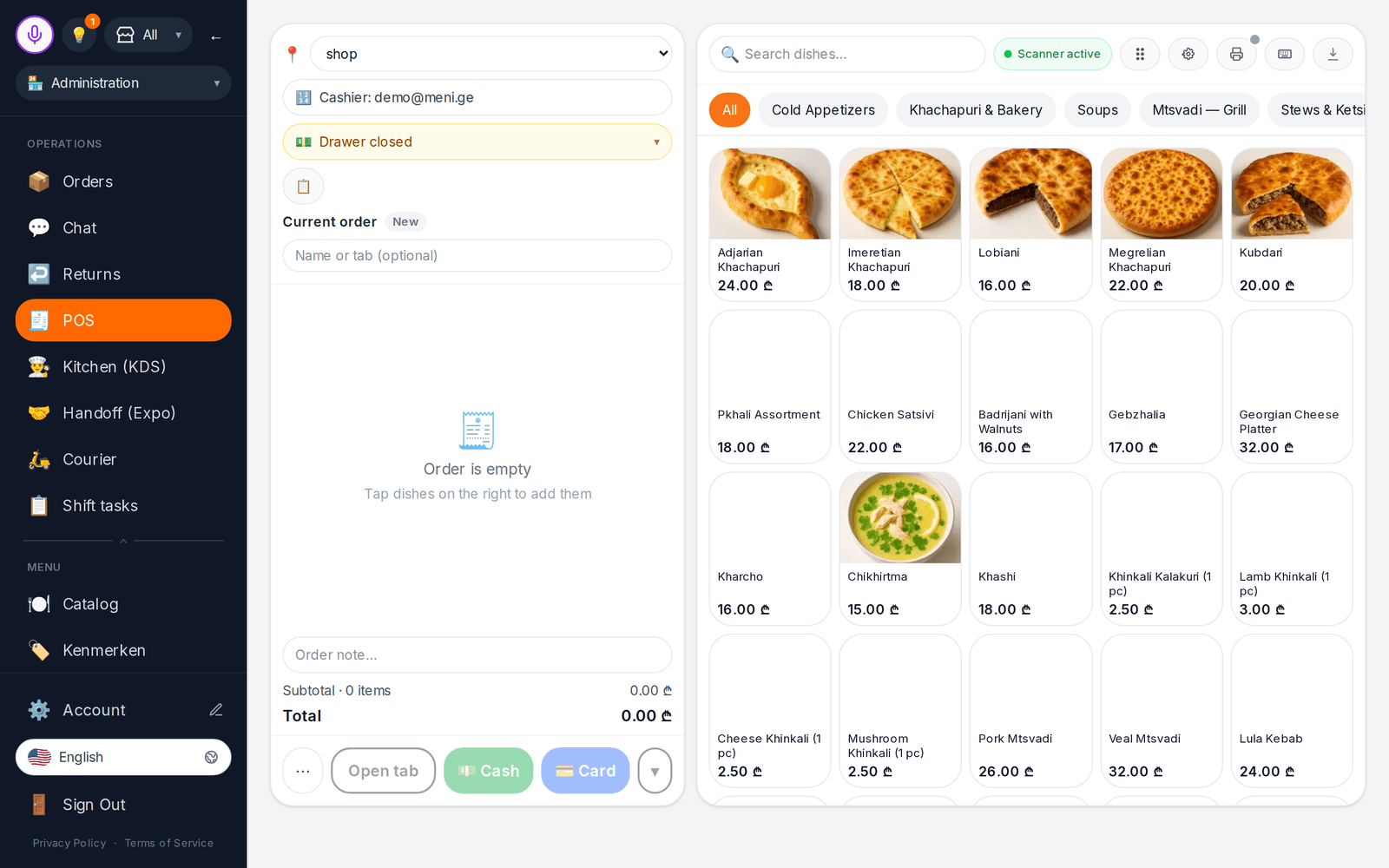
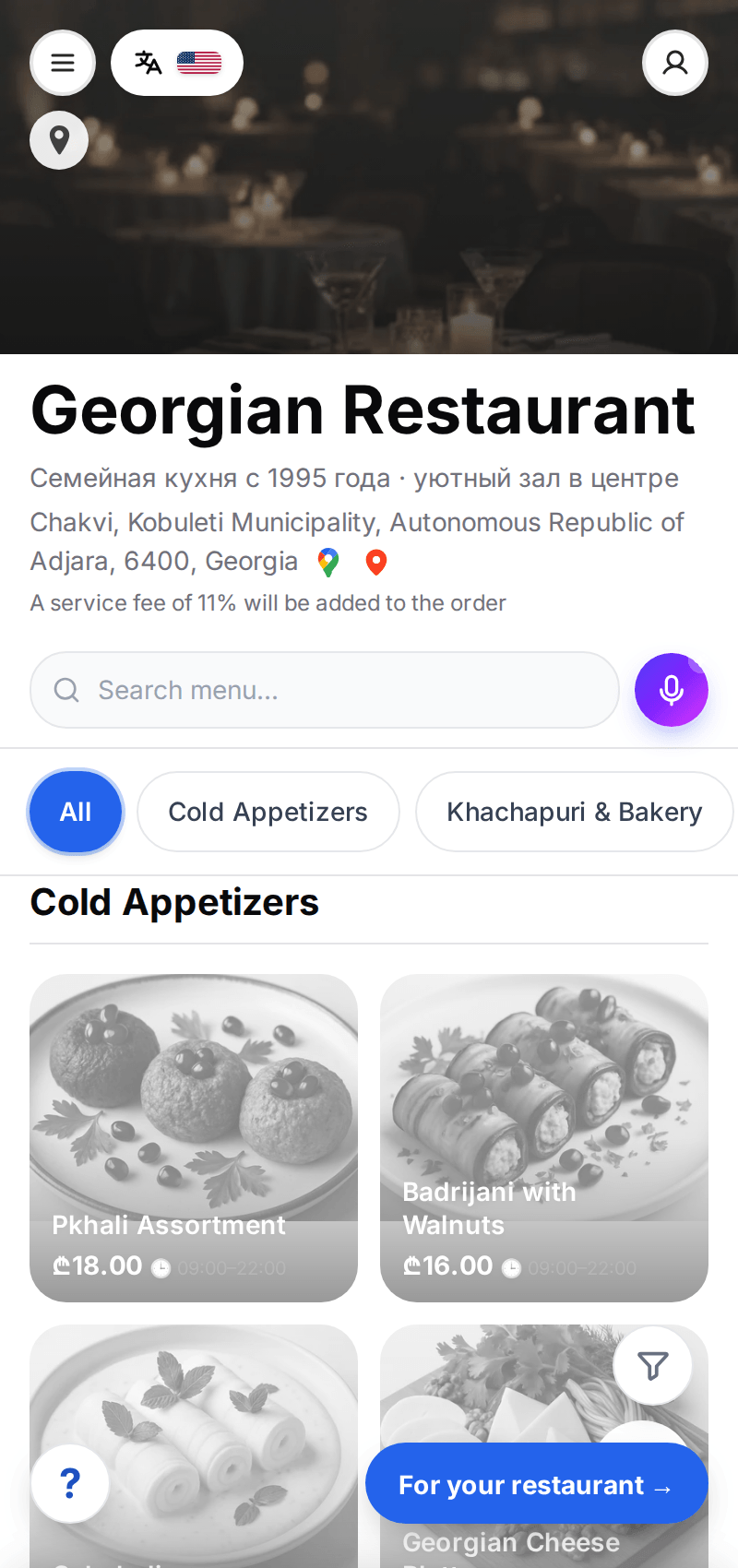
Interface screenshot; available features depend on setup and plan.
Start with one working workflow
Each business type has a different feature set. Check the module, country and connections you need before launch.
Guest menu and team orders
Build a QR menu and test an order. POS and the kitchen display require a suitable paid plan.
- ✓Categories, prices and your photos
- ✓Storefront orders and preparation statuses
From catalog to order
Illustrations show the workflow. Open a demo and test the actions you need in your account.
Customers see items and prices
Your texts and photos, categories and translations. Auto-translation languages are limited by plan.
- ✓Manual content editing
- ✓Review translations before publication
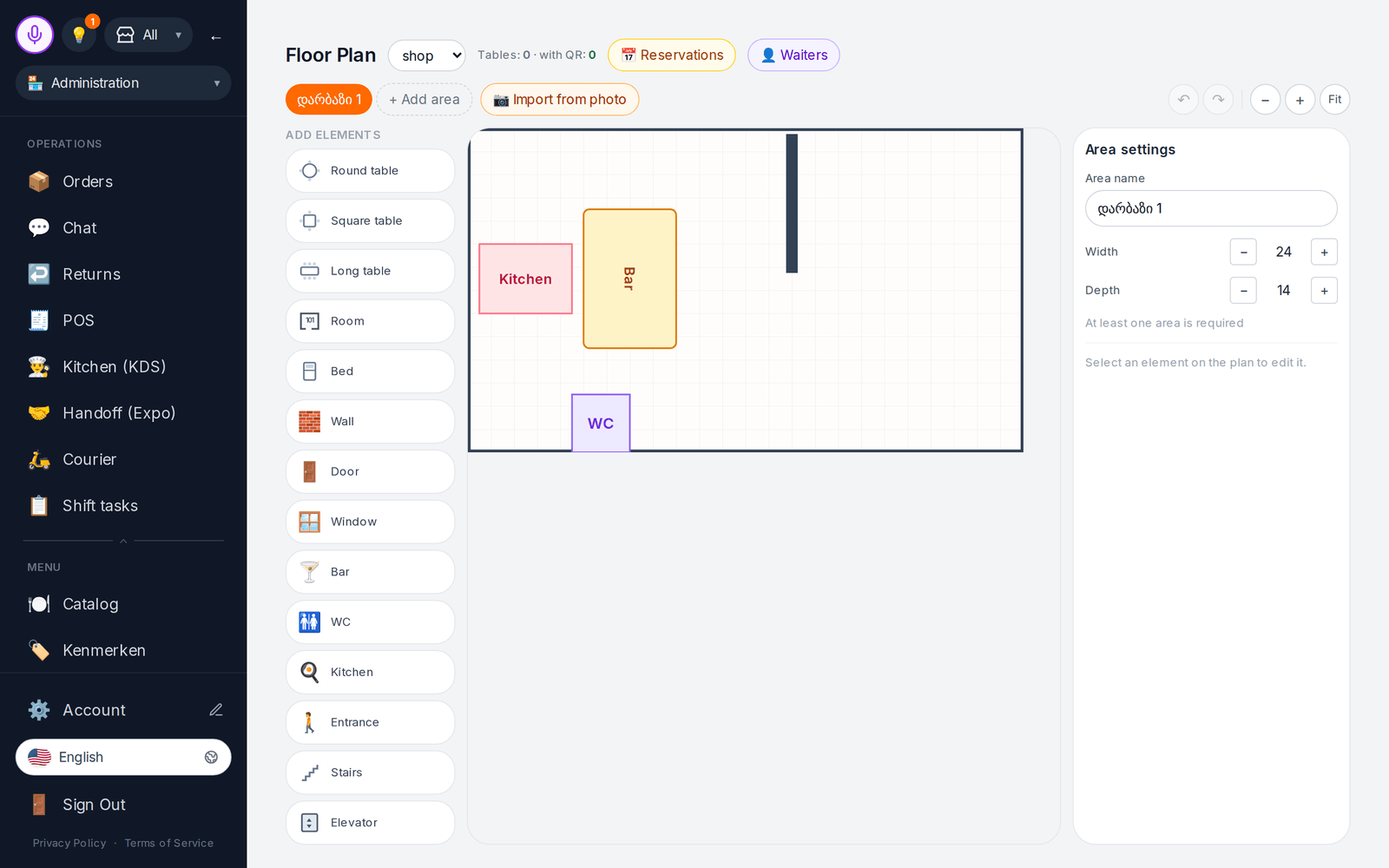
Your team handles the order
Storefront orders appear in the admin. POS, floor plans and KDS depend on the selected plan.
- ✓Order items and status
- ✓Staff permissions
Review work results
Start with orders and basic view analytics. More advanced finance workflows need a suitable plan and supported cloud.
- ✓Order history
- ✓Review your own records
Prepare content, then review it
AI costs extra. Models can make mistakes: check proposed values, translations and images before publication.
Card review
AI proposes values for a menu or product card. You choose what to apply.
Choose what your workflow needs
Not every business needs every module. Start with your main workflow and check plan requirements.
Catalog and QR menu
Items, categories, photos and prices for visitors.
POS
Receipts and orders on a suitable plan. Fiscal hardware connects separately.
Kitchen display
Order queue and statuses for kitchen staff.
Online store
Product cards and a cart. Payments and shipping need setup.
Hotel PMS
Room inventory, a calendar and stays. Check channels and payments before launch.
Appointments
Services and specialist schedules; room coordination remains with the administrator.
Inventory
Receipts, usage and stock based on your documents. Requires an appropriate plan.
Own delivery
Orders, zones and your couriers. Availability depends on the plan.
Finance dashboards
Analytics based on account data, with coverage limits. Requires a suitable paid plan.
Hardware bridge
Check the supported device model and connection in the docs.
Check your required channel before launch
Integration availability depends on country, cloud and provider permissions. Live delivery aggregator connections are not offered yet.
Check compatibility before buying
A catalog opens in a browser. Printing, fiscal receipts, scales and terminals need compatible devices and setup.
- ✓The bridge prints to supported network printers; USB/COM/Bluetooth are not supported yet
- ✓Terminal payments require testing the specific model; ready-to-use operation is not promised
- ✓Hardware, connectivity and fiscal services cost extra
Test a workflow with your data
No fixed launch-time promise: preparation depends on your catalog and connections.
Create an account
Choose your business type and add a location.
Add a few items
Enter prices and descriptions manually and upload your own photos.
Test your team workflow
Open the customer page, send a test order or appointment and process it.
Test the app on your device
Android builds cover part of the web functionality. Before using them during a shift, test login, required actions, hardware and your account cloud.
Courier
Addresses and statuses for your deliveries; feature availability depends on cloud
Download APK to testThe public APK build may lag behind tests of a newer version. Do not rely on push delivery; arrange monitoring of new orders.
On iPhone and iPad you can open the web admin. Check required devices and features separately.
App features and limitationsStart free, expand as needed
Check limits and available features. AI, extensions and hardware cost extra.
Before you start
What is included in the free start?
An account with one location, up to 50 items, one device and 100 monthly orders. AI and paid extensions cost extra.
Do I need to buy hardware?
A catalog opens in a browser. Printing, fiscal receipts, scales and terminals need compatible devices and setup.
How long does launch take?
It depends on data readiness, catalog size, staff and connections. Test a small example first; we do not guarantee a sale in five minutes.
Are all features available in every country?
No. Finance dashboards, image studio, interactive translation and self-service paid plan checkout are unavailable on .ru. Check country and provider requirements for other connections.
Can I edit and export my data?
Edit your catalog in the admin. Account data export is available in settings; check the file contents before migration. Automatic migration to every other system is not promised.
Only need one website widget?
Choose it in Widgets: chat, appointments, ordering and other workflows have their own terms. You can start with a standalone product.
From the blog
Life hacks, news and practical deep dives for restaurants, shops, hotels and salons
GloriaFood is shutting down on April 30, 2027: what restaurants should do
Oracle is retiring GloriaFood on April 30, 2027. What exactly closes, which data disappears, the timeline — and a calm migration plan that loses no menu and no orders.
Restaurant Opening and Closing Shift Checklists
A ready-made checklist framework for restaurant opening and closing: kitchen, floor, bar, register, and safety — plus how to make lists actually work.

Test your first workflow with your data
Enter prices and descriptions manually and upload your own photos.
Free start without a card. AI, paid plans, extensions and hardware have separate terms.